
Write the idea. The live side is already built.
Describe the idea to the assistant, or write it yourself. A strategy is a C# project you can read, change and keep, and AurexionLabs already handles the live side: orders, protective stops at the exchange and restarts.
A strategy is a few clear rules.
Starter and up
A strategy is a C# project of your own: readable source files, not a black box. AurexionLabs comes with example strategies you can read and change: opening-range breakout, EMA momentum, Donchian breakout, mean reversion, trend following and volatility breakout.
- Indicators: the built-in ones (EMA, RSI, ATR, Bollinger bands, VWAP, opening range and more), ones the assistant writes for you, or your own in C#. Every built-in indicator also works on an extra timeframe.
- An indicator's value never changes after its bar has closed. Only the bar still forming updates, exactly as it would live, so the chart you study is the chart your strategy saw.
- Up to 3 extra timeframes beside the trading one, each with its own indicators: a 1-hour filter on a 1-minute strategy, or a 1-minute signal on a 15-minute one.
- Stops and targets in ticks, points, R, ATR or dollars.
- Take-profit in up to 3 legs, break-even and trailing stops.
- The build checks kit strategies for banned calls and code style before anything runs.
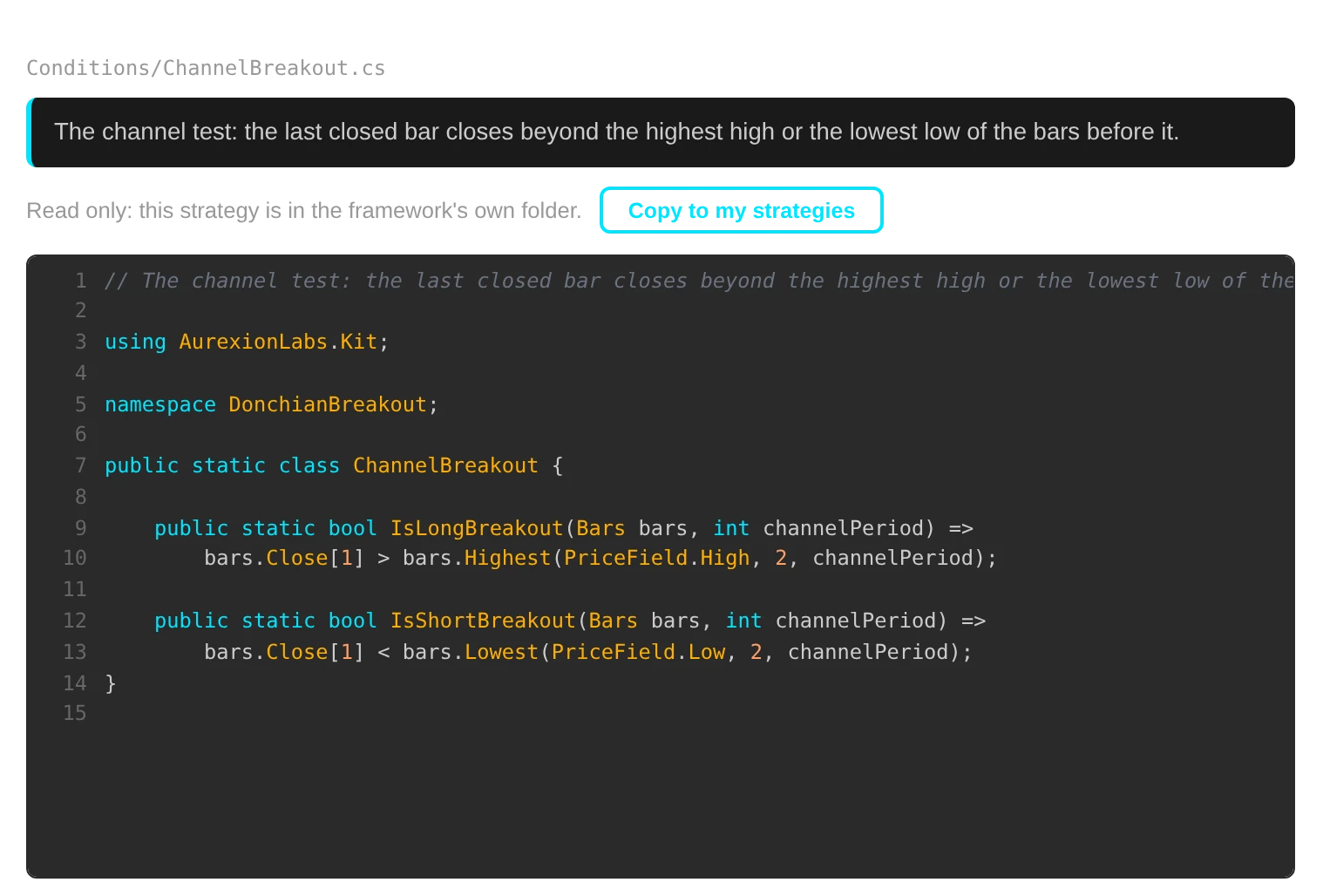
Not a coder? The assistant writes it with you.
Starter and up
The assistant can write strategies for you, in readable C# you can test, change and keep. If you do code, C# gives you full control.
- Describe an idea and it writes the strategy in readable C#, which you can test, change and keep. It writes new indicators too, when the idea needs one.
- The strategy it writes is a normal AurexionLabs strategy, so it goes through the same backtests, portfolios, paper and live as one you write yourself.
- It reads your real backtest results and can start backtests for you.
- Any figure that no run produced is marked as such.
- A local model on your machine is the default. An outside AI provider gets what you type into the assistant only if you choose one, and then it goes to that provider. With a local model, it stays on your machine.
It is professional software to research, test and run your own strategies. Results depend on your strategies and the market, and you can lose money.
Research in Python. Trade in AurexionLabs.
Starter and up
Keep the research tools you know. When a notebook finds something, bring it into AurexionLabs, where it gets the same accurate backtests, the same execution and the same protection at the exchange as everything else.
- A trading idea you found in Python: describe it to the assistant, and it rebuilds it as a C# strategy you can read, backtest on ticks and run live.
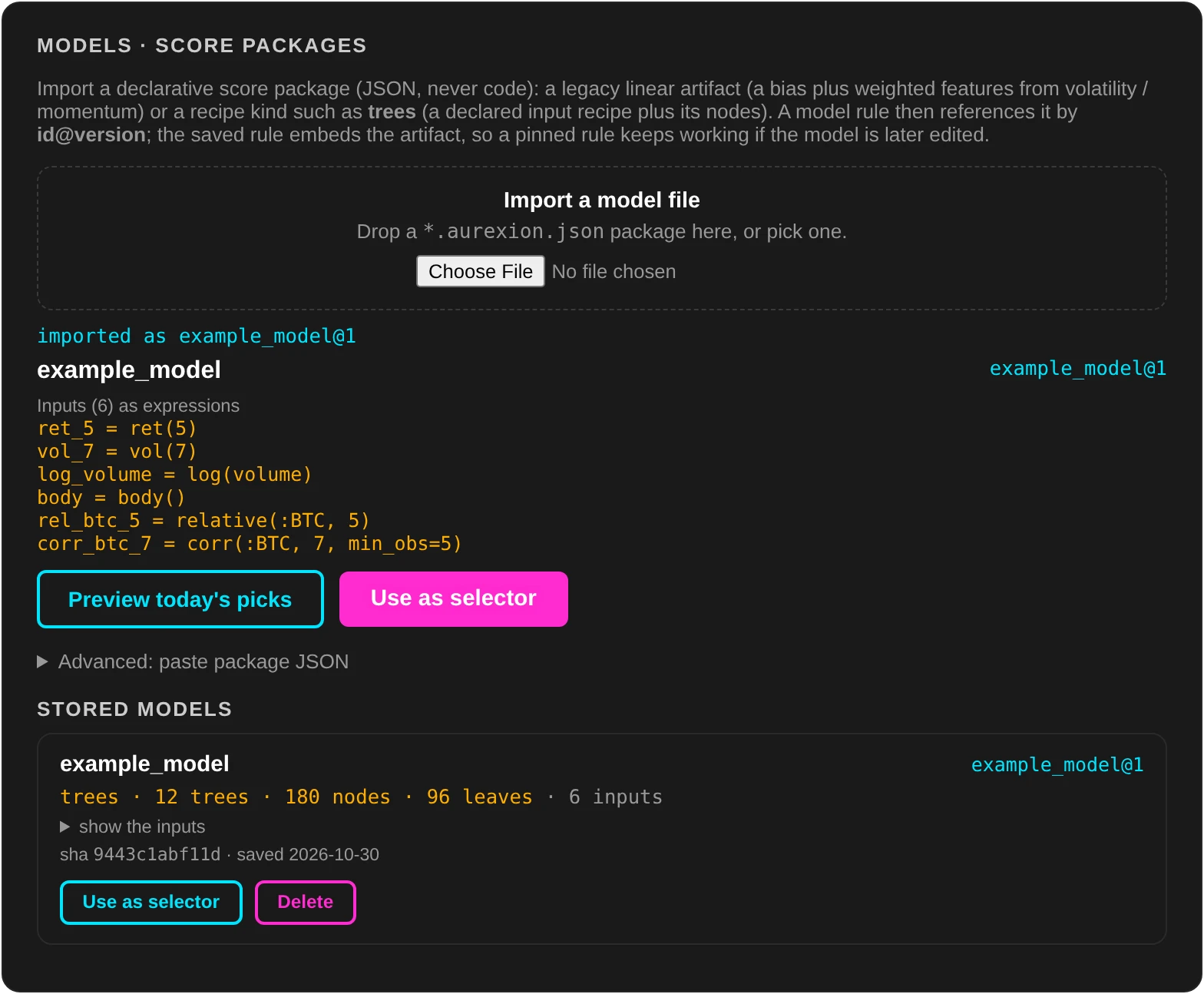
- Coin selection you researched in Python: write it as selector rules, or bring your trained model itself. Linear models and scikit-learn gradient-boosted trees are supported.
- A model comes over with one
export(...)call at the end of your notebook. The export recomputes your features the way AurexionLabs computes them when it scores the model, and refuses to write the file if they do not match your training data. - The engine scores the model itself. Python never runs while you trade.
Every build is versioned.
Every build is versioned and never changes. A backtest, a paper run and a live instance stay pinned to the build they started with, until you move them yourself.
Next stage: Evaluate.
Once a strategy is written, test it on years of data in Evaluate. The backtester replays the market one event at a time, in time order, with the same code your strategy runs live. Live trading is on Bybit perpetual futures today. Start on your exchange's demo account. What your own strategy decides is your responsibility.