
Instances and portfolios
The Instances page is the fleet: one block per account, one card per instance, and an expanded card for everything one instance has done. Portfolios appear on the dashboard, because a portfolio owns an account of its own and starts and stops the coins in it.
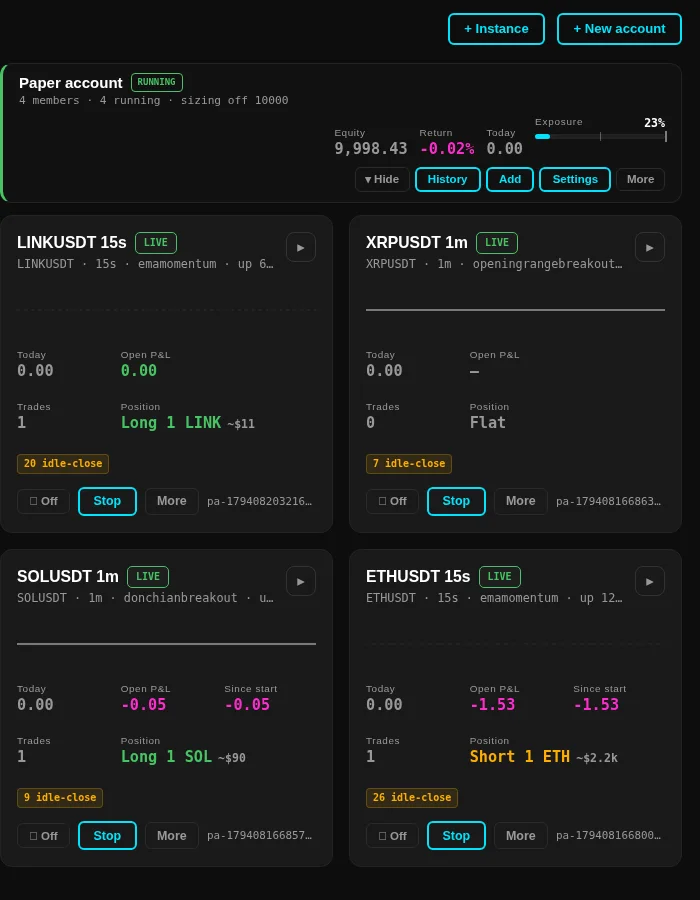
The account header
The name sits next to a badge that says whether anything under it is running, and the line under the name counts the members, how many of them run, and the balance the sizes are taken from. To the right:
- Equity, the balance plus what the open positions are worth.
- Return since the account was created.
- Today, the realized P&L of the current day.
- Exposure, a bar that turns into words once the open positions are worth more than the account, so a fleet holding four times its balance says so in the header instead of on four separate cards.
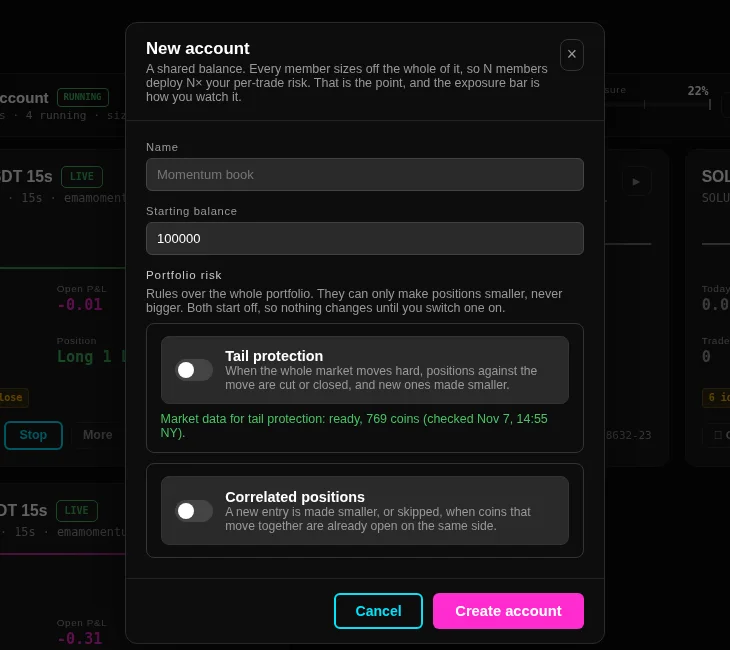
History opens the account's realized P&L over time, Add moves members into this account, Settings edits the name, the balance and the two portfolio risk rules, and More holds the reset, Ungroup and Close account, which stops every member and banks its realized result onto the closing account's ledger.
The instance cards
An account that runs something comes first, and an account with nothing running is one line. A stopped, flat instance folds behind a show control so a fleet of a hundred does not bury the two instances you are watching; a running instance and one you just opened never fold.
The top line of a card names the symbol, the trading timeframe and the strategy, followed by the build it is pinned to and how long it has been up. Under it the card carries four numbers and one sentence:
- Today counts closed trades only, so an open position that has moved in your favour does not lift it.
- Open P&L is the mark on the position that is open now.
- Since start appears only when it differs from Today.
- Trades is the count of executions, and Position names the side, the quantity and what it is worth, or says Flat.
- The chip under the numbers counts bars the exchange printed no trades in, if the instance is on a minutes or seconds timeframe. It is a fact about the market, not a fault.
Stop stops the instance and leaves its position and its protective orders where they are. Delete and the other irreversible actions sit behind More, each with its own confirmation.
The expanded card
Open a card and it takes the screen with eight tabs, all fed by the same poll, so the tab you are on costs no extra load:
- Chart draws the instance's own candles with its entries and exits, the take-profit and stop levels as lines, and the indicator series it trades.
- Orders shows the position with its entry, the stop, and every working order with its level and its OCO group, and closes the position or cancels an order by hand.
- Equity is the instance's equity curve with its restart markers.
- History is this instance's realized result over time, built from its own closed trades.
- Executions lists every fill with its price, its size and what it realized.
- Log is the instance's own log, filtered by level and by time window, with the environment's tag on every line.
- Config echoes the configuration the instance actually runs, marks the values that departed from the defaults, and names where each one came from.
- Feed is the state of the market data behind the instance.
Portfolios
A universe portfolio is a record of its own: it owns one account, one selector and one universe strategy, and its daily rotation starts and stops coins inside that account only. Hand-made instances on other accounts are never touched by a rotation.
The portfolio carries its own settings, all blank by default so that a portfolio nobody edited trades exactly like its strategy: coins per day, how many of them run at once, the position size and its unit, the timeframe, the direction, the pinned strategy build and the strategy parameters. A setting applies to the coins started from then on; a coin that is already running keeps what it was created with. A new portfolio can only bind an account that is empty and not already bound to another portfolio.
Rotation pause, the daily selection and the screener database are one switch for the whole engine and are labelled as such, while each portfolio's own daily rotation switch sits in its own edit dialog. The pages under Universes and daily selection describe how a rotation picks its coins.